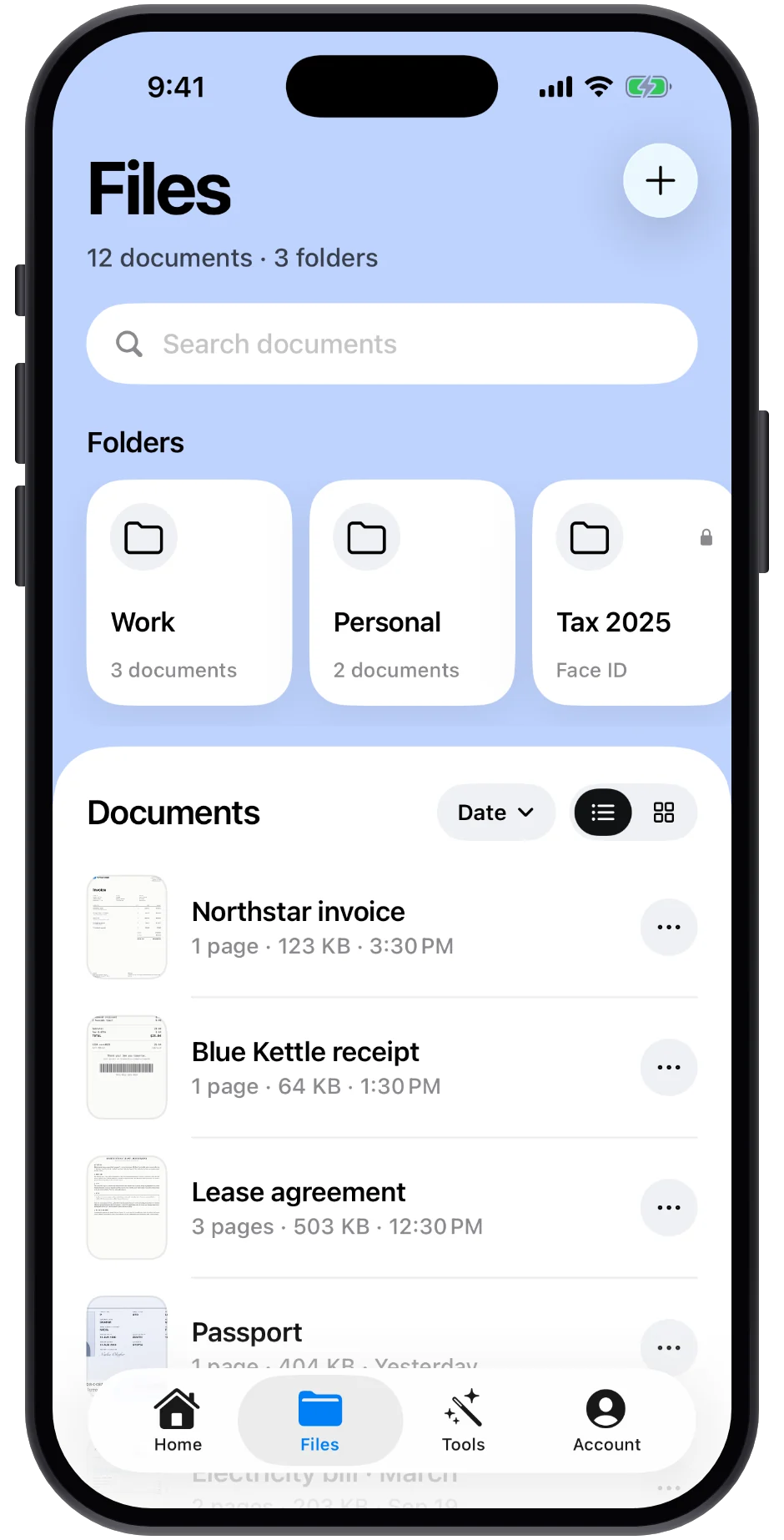
Scan documents, ID cards, passports, receipts and business cards. Edges are found automatically and text is recognized right on your iPhone, so nothing you scan has to leave the device.
6Scan modesDocuments, ID cards, passports, receipts, business cards, QR codes
20Built-in toolsScan, edit and organize, all in one floating dock
100%On your iPhoneEdge detection, OCR and receipt reading never leave the device
6Export formatsPDF, JPG, TXT, Word, Excel and PowerPoint
0Accounts to createNothing to sign up for. Install, then scan.
LexiGrasp finds the edges, reads the text and pulls the total on the iPhone in your hand, so your lease, your passport and your tax receipts never leave it.
What it does
Every kind of paper, handled.
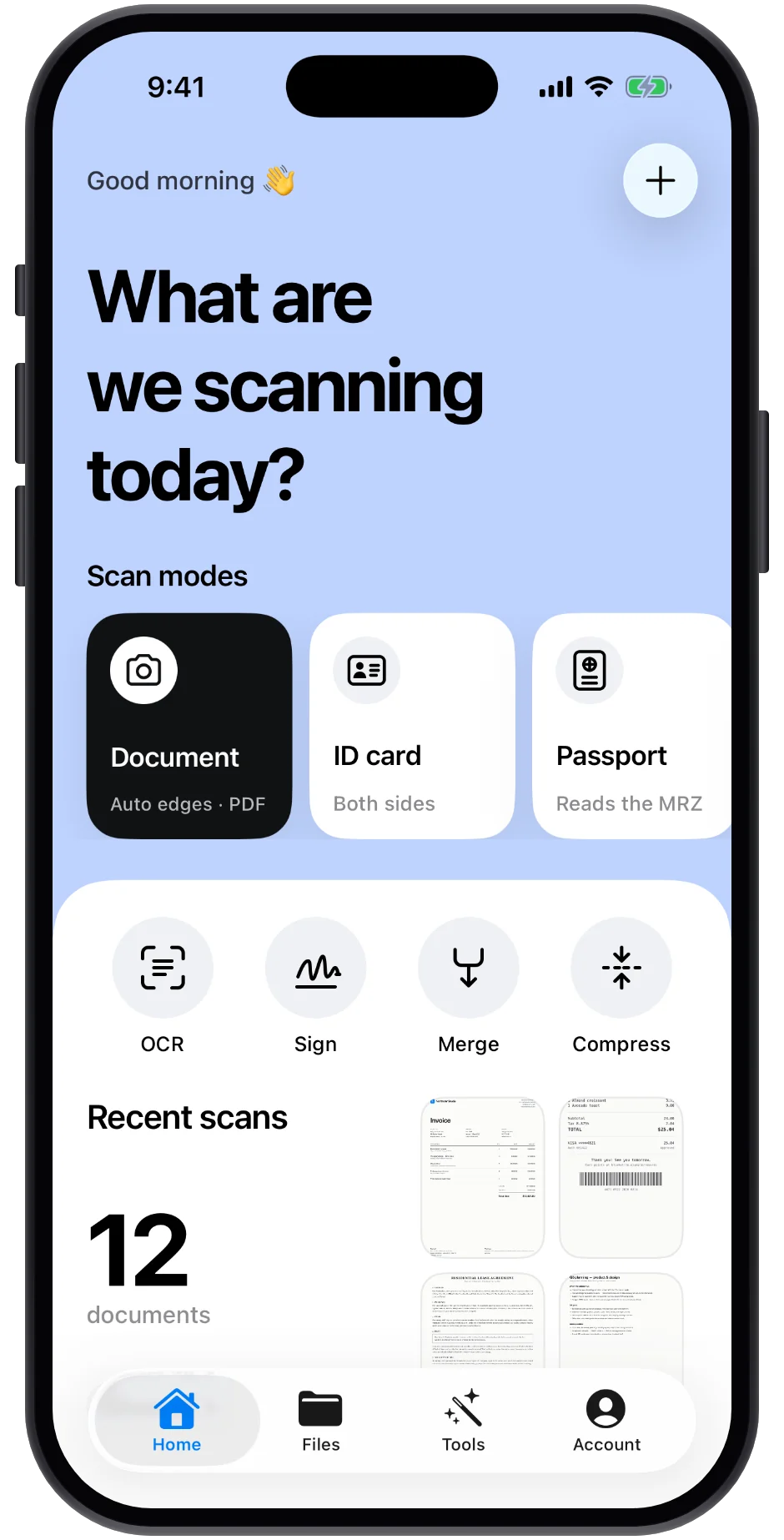
Pick a mode and LexiGrasp knows what it's looking at — a page that needs straightening, a receipt with a total, a passport with a machine-readable zone.
Edges found before you tap.
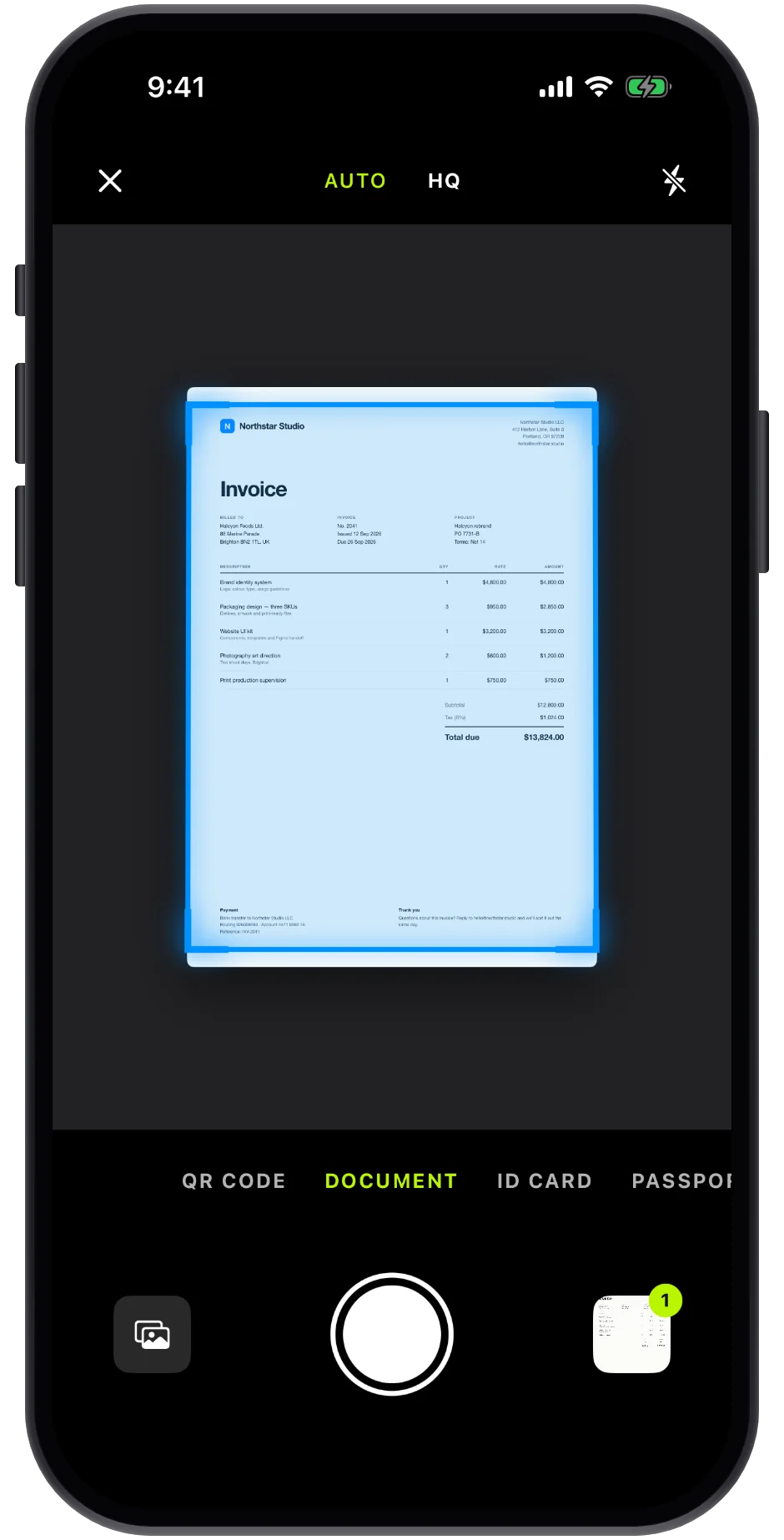
Point at the page. The frame snaps to its corners, perspective is fixed, and Auto captures the moment you hold still — page after page.
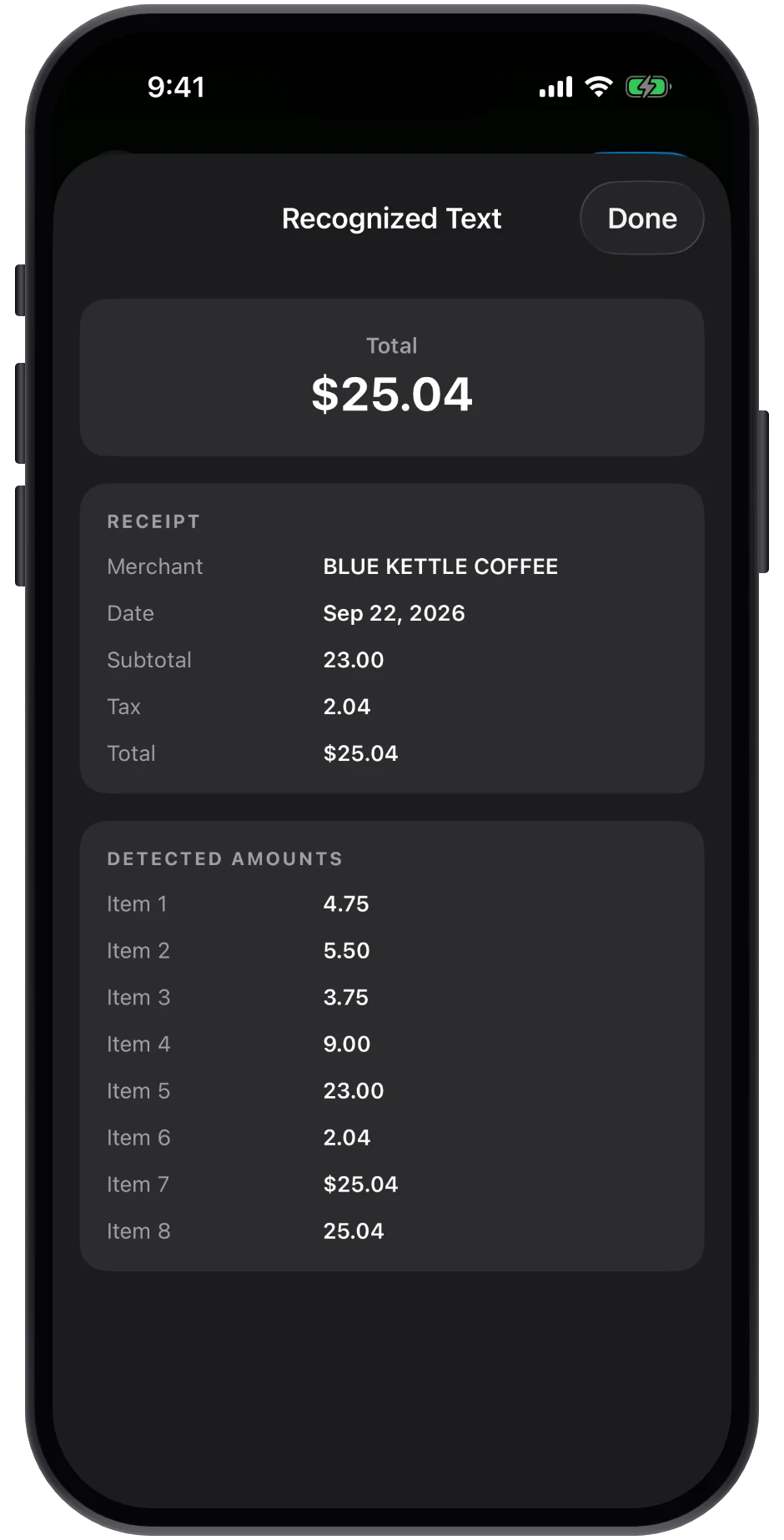
Receipts, totaled.
Merchant, date, subtotal, tax and total — read off the receipt, ready for an expense sheet.
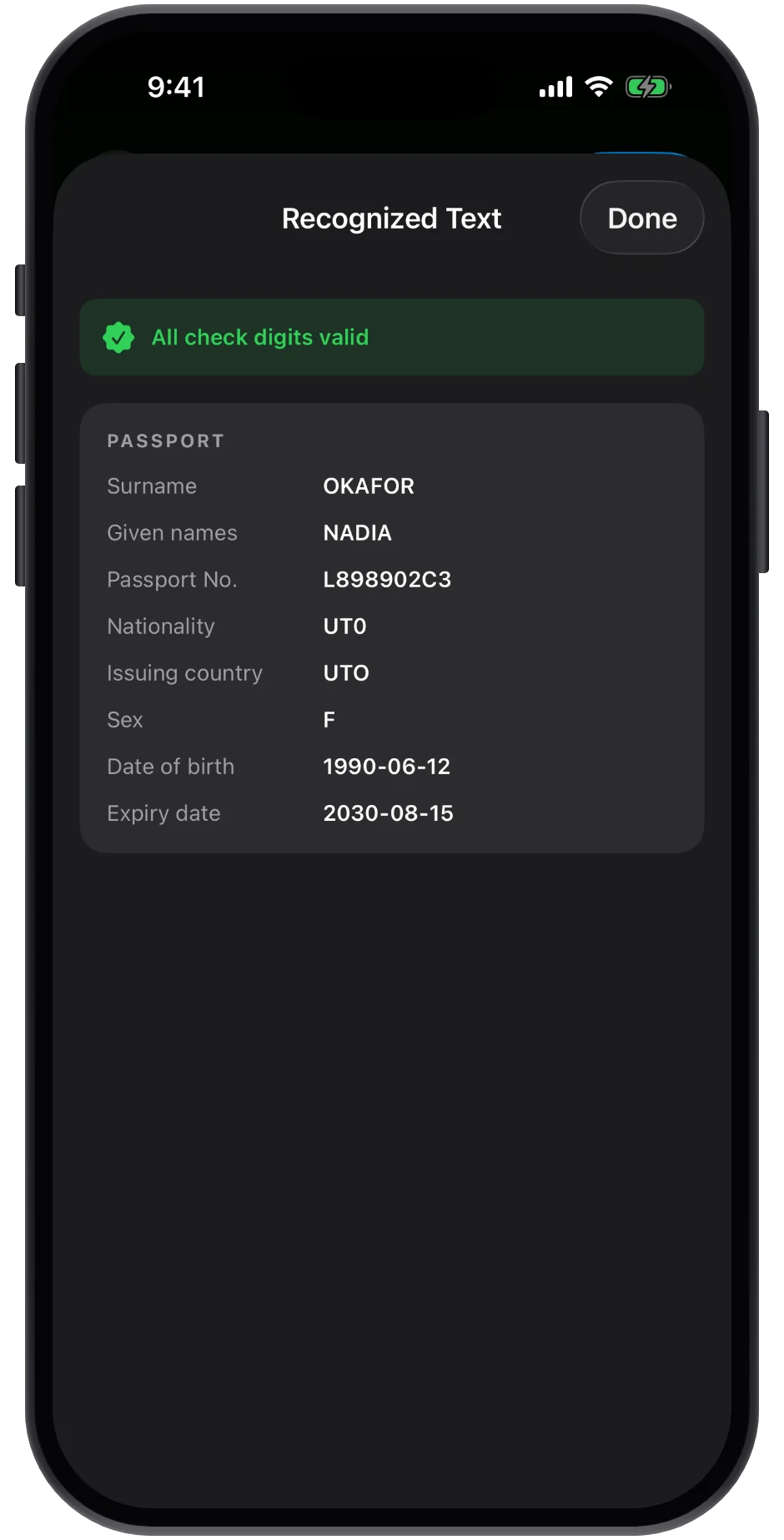
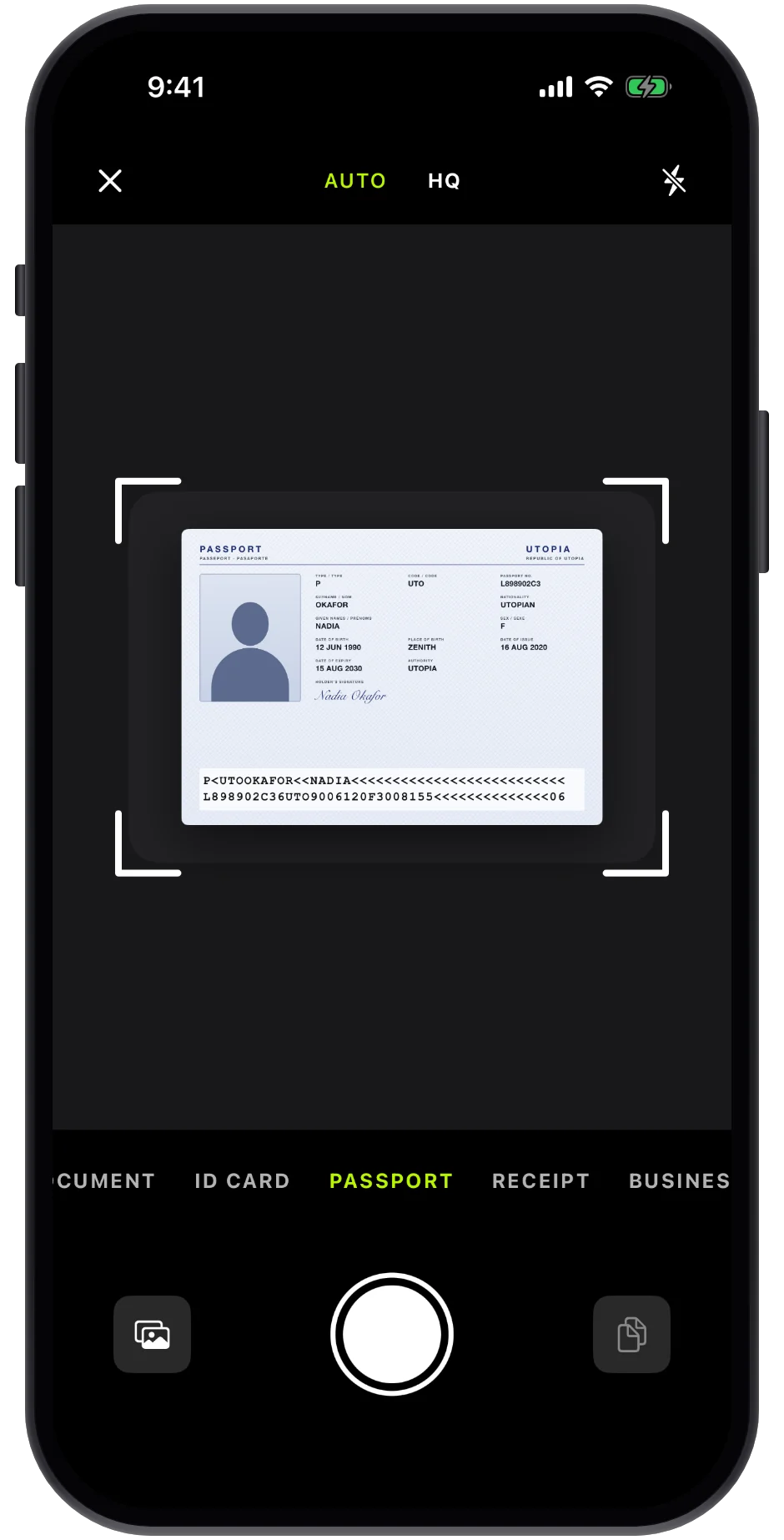
Passports, read.
The machine-readable zone becomes name, number, nationality and dates, with every check digit verified.
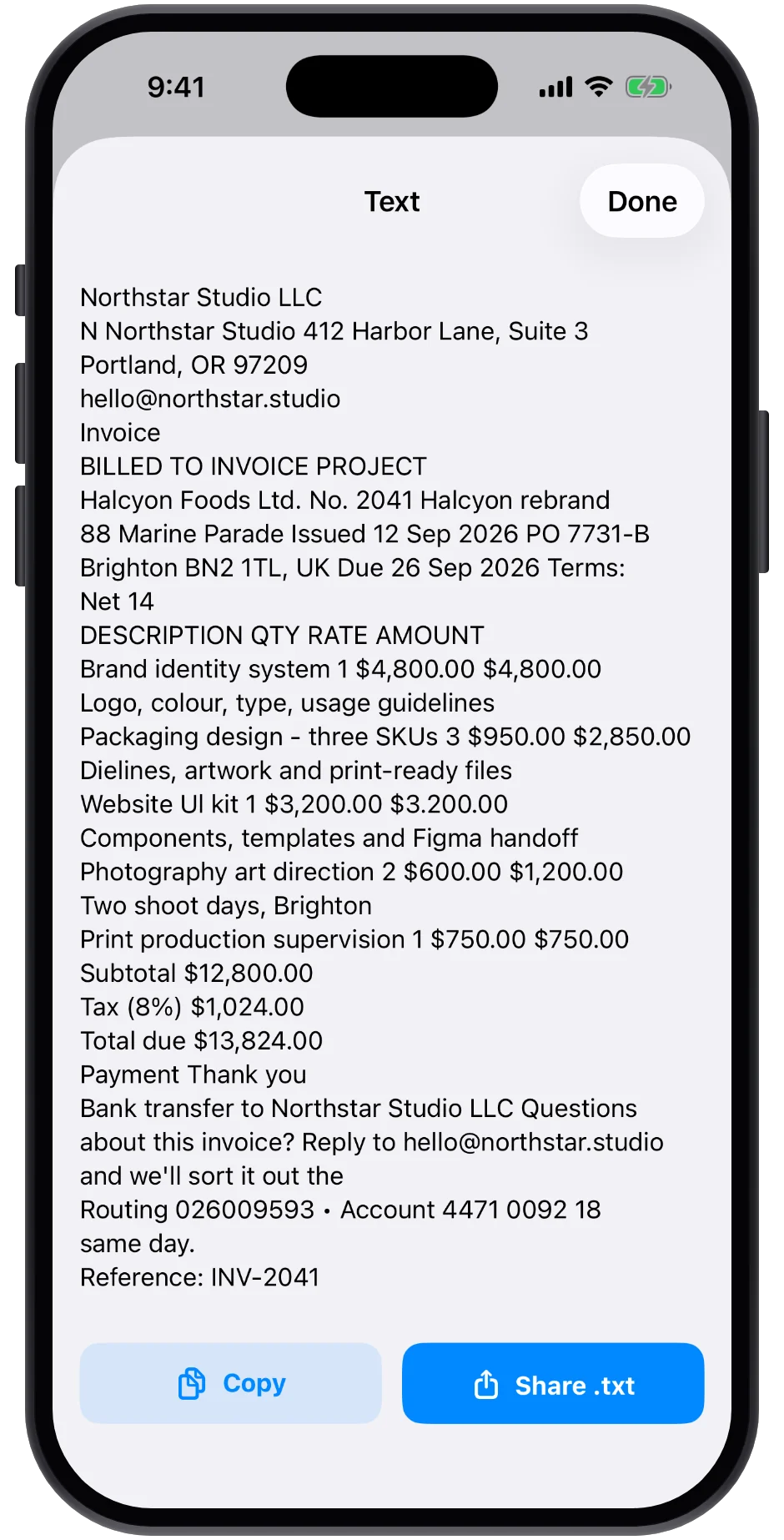
Text you can copy.
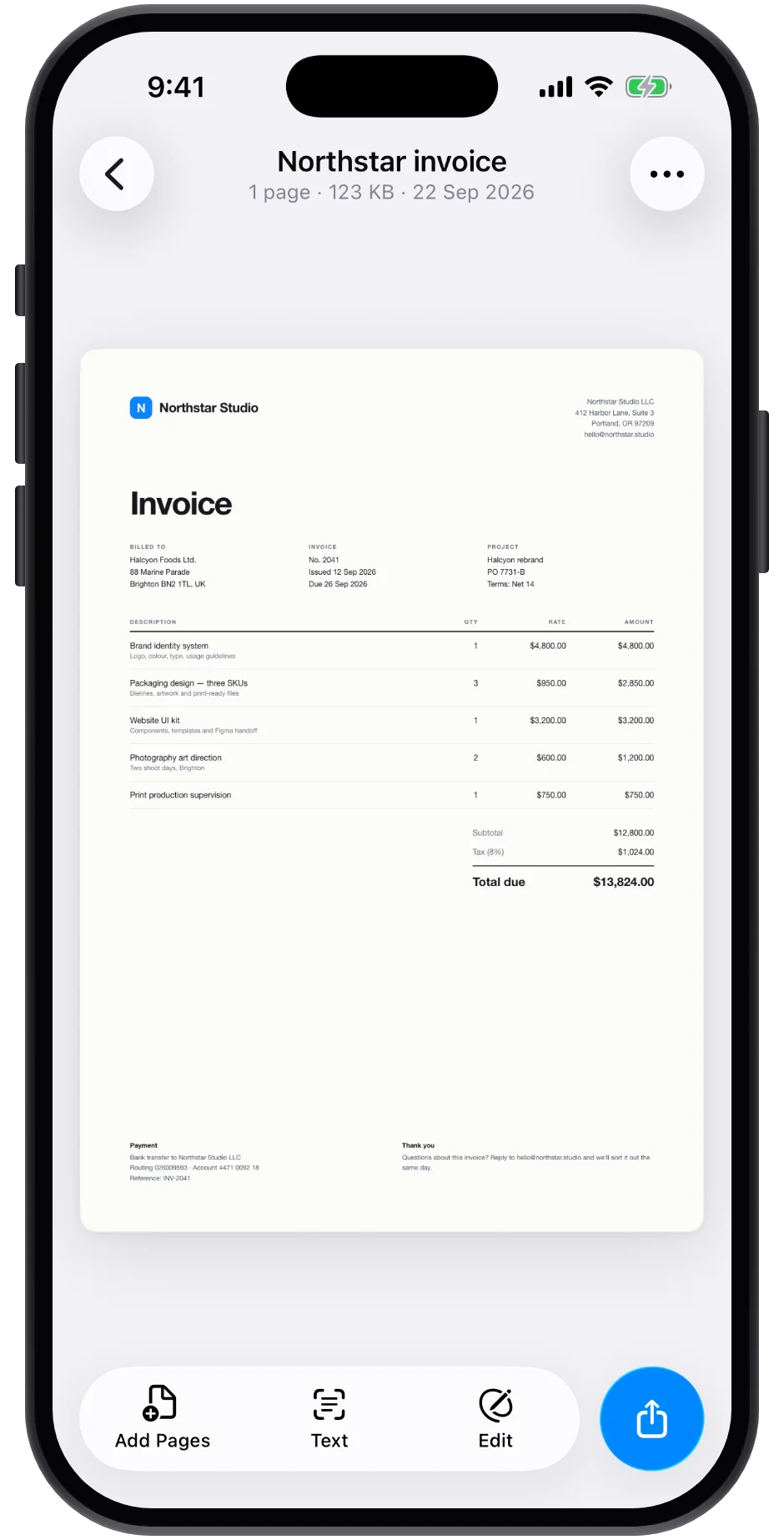
On-device OCR turns any scan into selectable text. Copy it straight to the clipboard, or search for it later.
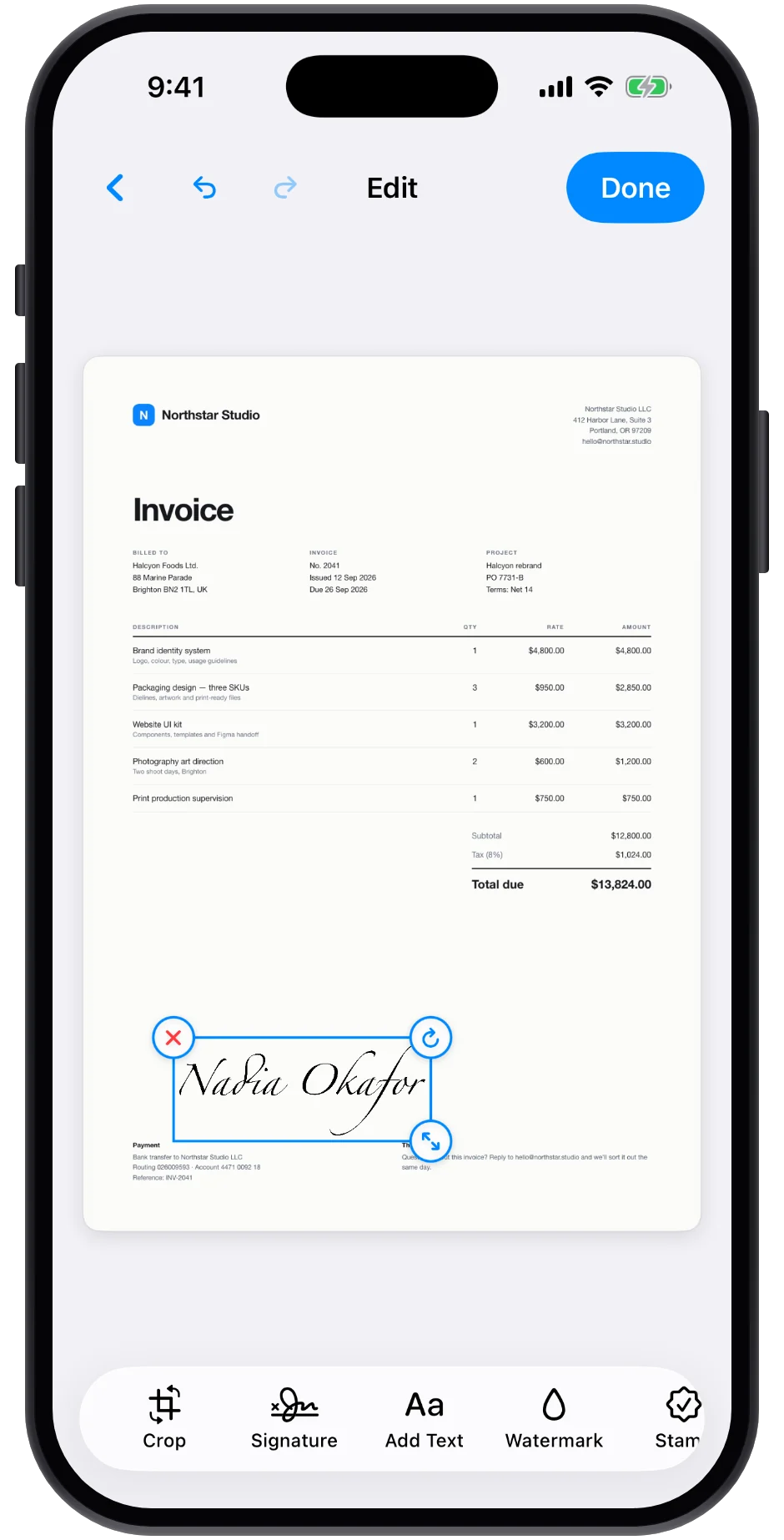
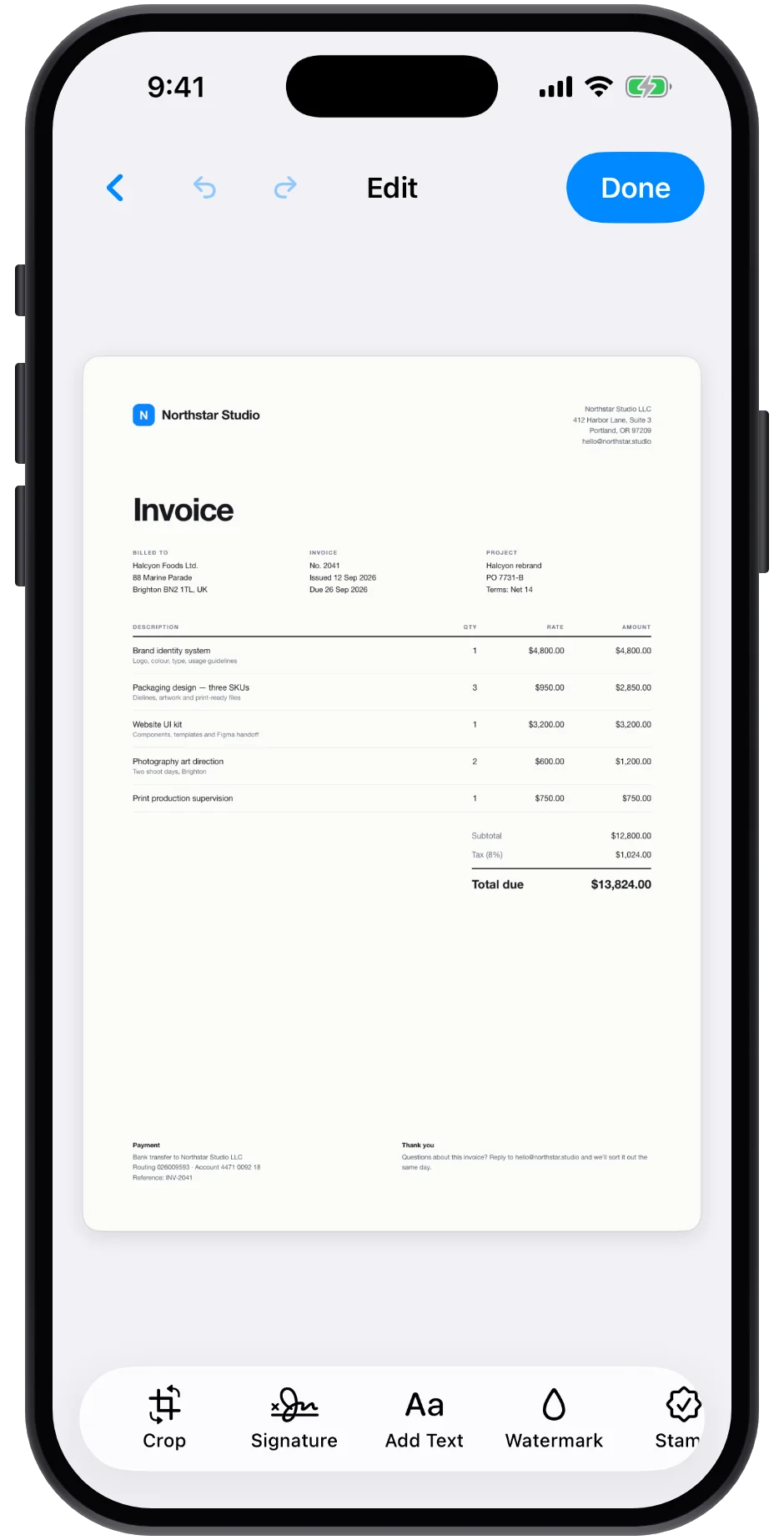
Sign once, reuse forever.
Draw or type a signature, drop it on any page, resize it, done.
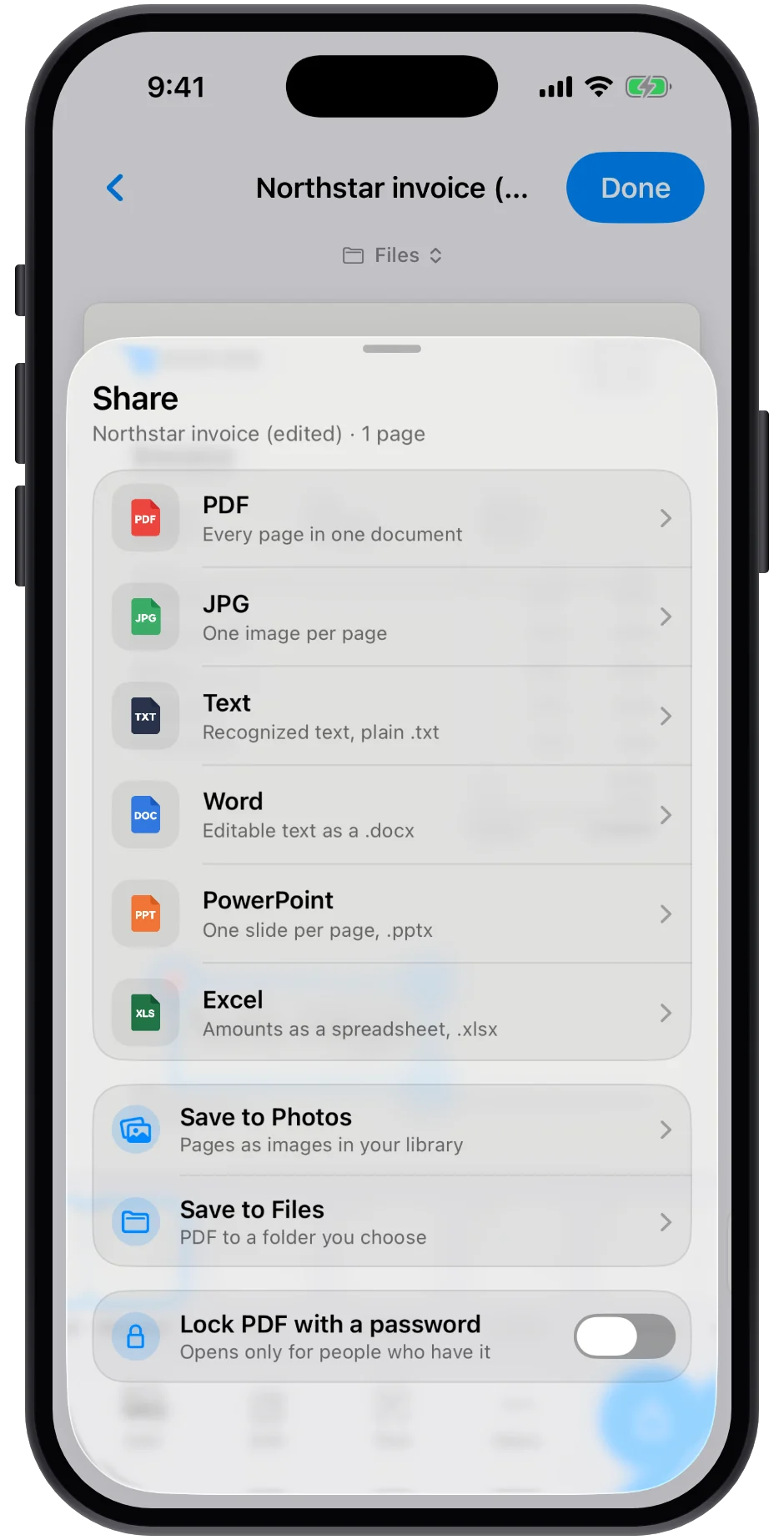
Send it out in any format.
PDF, JPG or plain text, or a Word, Excel or PowerPoint file built from the recognized content. Save to Photos or Files, lock it with a password, AirDrop it, mail it.
Both sides, one page.
Front and back are captured in turn and composed onto a single page, aligned and ready to go.
Tools
Twenty tools. One dock.
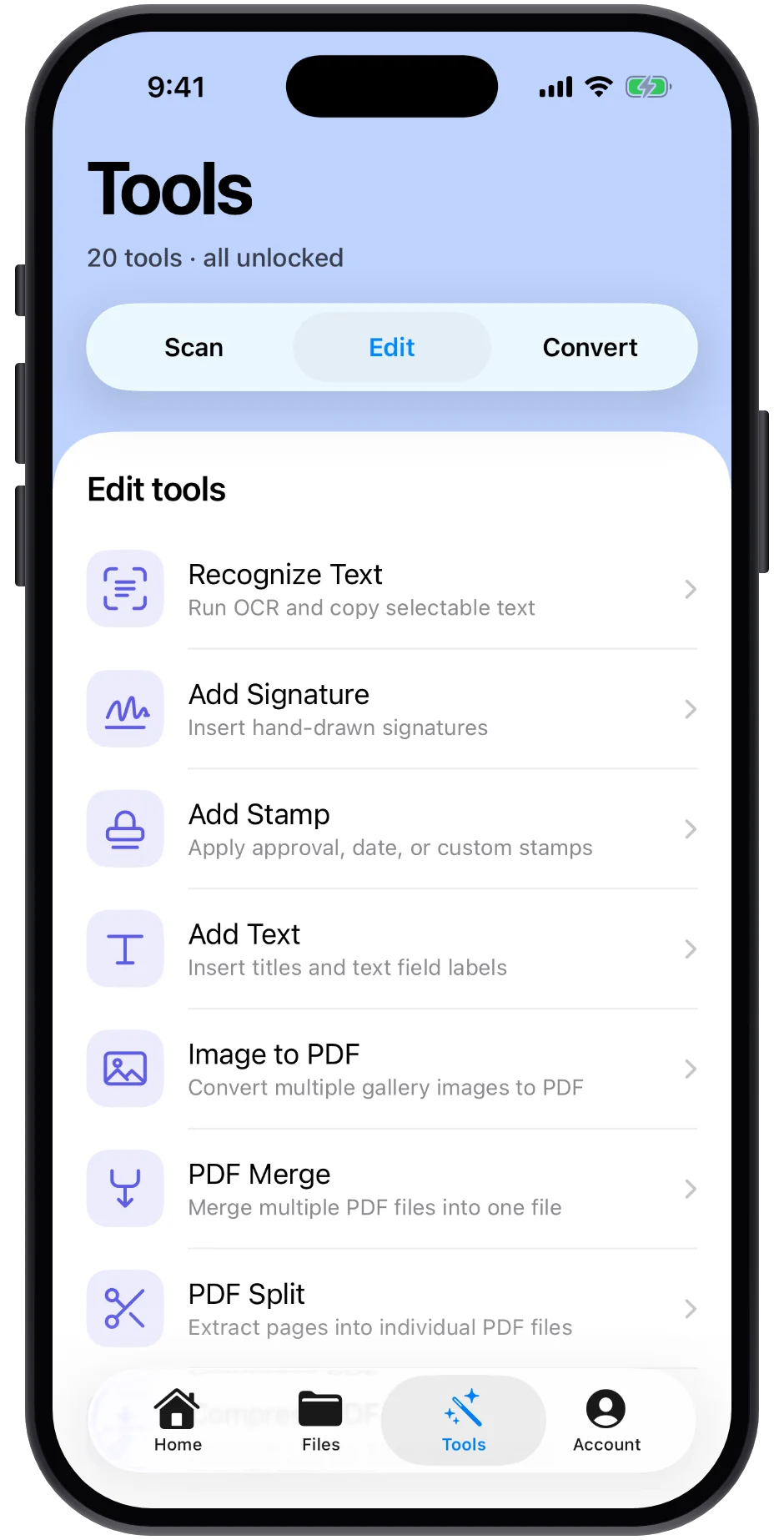
Everything a scanned page needs next lives in the same floating dock: clean it up, sign it, add text, then convert or export it.
Scan
6
DocumentsAuto edges, multi-page PDF
ID cardsFront and back on one page
PassportsReads the MRZ
QR & barcodesInstant read
Business cardsSaved as a contact
ReceiptsTotals, tax and merchant
Edit
4
Recognize textOn-device OCR, copyable
Add signatureDraw once, reuse
Add stampApproval, date, custom
Add textTitles and field labels
Organize
4
Image to PDFGallery photos to pages
Merge PDFsMany files into one
Split PDFPages into files
Compress PDFSmaller file size
Convert
6
PDF
To PDFEvery page in one file
JPG
To JPGOne image per page
TXT
To TXTRecognized text, plain
PPT
To PowerPointOne slide per page
DOC
To WordEditable .docx
XLS
To ExcelAmounts into a workbook
Free to scan, edit and sign.
Install LexiGrasp and use it as much as you like. LexiGrasp Pro adds exporting, passport, receipt and business-card reading, and stamps.
1ScanPoint at the page. Edges, perspective and capture are handled for you, page after page.
2Clean up and signFilters, crop, signature, text and watermark, then OCR so the page is searchable.
3Send it outPDF, images, text or an Office file, to Mail, AirDrop or Files. This step is LexiGrasp Pro.
Privacy
Your documents stay on your iPhone.
LexiGrasp has no server that sees your pages. Everything happens where the paper is.
Processing
On your iPhoneEdge detection, OCR, passport MRZ and receipt totals
Storage
The app's own filesNothing leaves the device unless you export it yourself
Private folders
Face ID, Touch ID or passcodeThe same lock you already use on your phone
Account
Not requiredNo email, no password, no profile
LexiGrasp Pro
Free for everyday paper. Pro for the rest.
Scanning, editing, signing and OCR are free, with no limit. LexiGrasp Pro is what lets a finished file leave the app, and what reads the documents that carry data.
Free
Everyday scanning
Scan, clean up, sign and organize as much paper as you like.
Freeno account, no scan limit
Unlimited scans in every mode
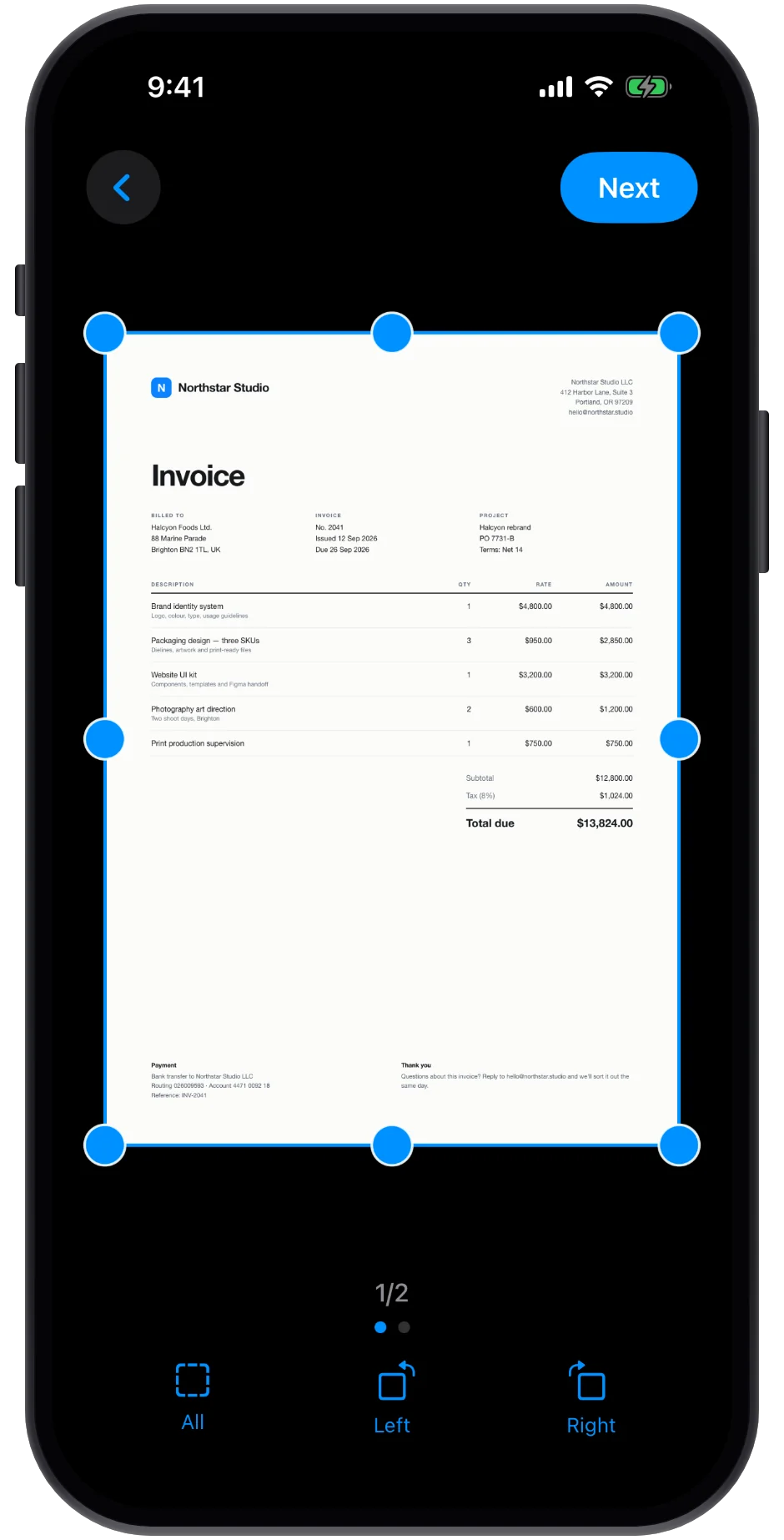
Auto edges, crop, straighten and filters
Signatures, added text and on-device OCR
Merge, split and compress inside the app
Folders, search and Face ID locks
Everything stays on your iPhone
Taking a file out of the app (Share, Save to Photos or Save to Files) is LexiGrasp Pro.
Export in any format, and let LexiGrasp read the documents that carry data.
$9.99/week3 days free · cancel anytime
$89.99/year3 days free · save 83%
Share and export in any format
Save to Photos and Save to Files
Word, Excel and PowerPoint exports
Passport scans that read the MRZ
Receipt scans that find totals and tax
Business cards saved as contacts
Approval, date and custom stamps
Password-locked PDFs
Prices shown are US dollars; your App Store shows the local price and any tax before you confirm. Subscriptions renew automatically until cancelled, and are billed and managed by Apple.
They stay in the app, on your iPhone, for as long as you keep it installed. You can go on scanning, editing, signing and organizing without limit. Nothing expires and nothing is deleted. Subscribing later unlocks exporting for everything already in your library.
Does LexiGrasp upload my documents?
No. Edge detection, OCR, passport MRZ reading and receipt totals all run on your iPhone. Your scans stay in the app's local storage unless you export or share them yourself.
What's included for free?
Everything up to the moment a file leaves the app: scanning in every mode, auto edges, crop, straighten and filters, signatures, added text, on-device OCR, merging, splitting, compressing, folders, search and Face ID locks. There is no scan limit and no account.
What does LexiGrasp Pro add?
Exporting, first of all: Share, Save to Photos and Save to Files, as PDF, JPG, text, Word, Excel or PowerPoint, with the option to lock a PDF with a password. It also adds passport scans that read the MRZ, receipt scans that find totals and tax, business cards saved as contacts, and stamps. It is $9.99 a week or $89.99 a year, and new subscribers get the first 3 days free.
Can I bring in PDFs and photos I already have?
Yes. Import from Photos or from Files using the + menu, then edit, merge, convert or recognize text just like a fresh scan. Sending the result back out needs LexiGrasp Pro.
Which iPhones does it run on?
Any iPhone running iOS 17 or later. No account or sign-in is needed.
How do I cancel LexiGrasp Pro?
Subscriptions are handled by Apple. Open Settings, tap your name, then Subscriptions, and cancel LexiGrasp Pro there. You keep Pro until the end of the period you've paid for.